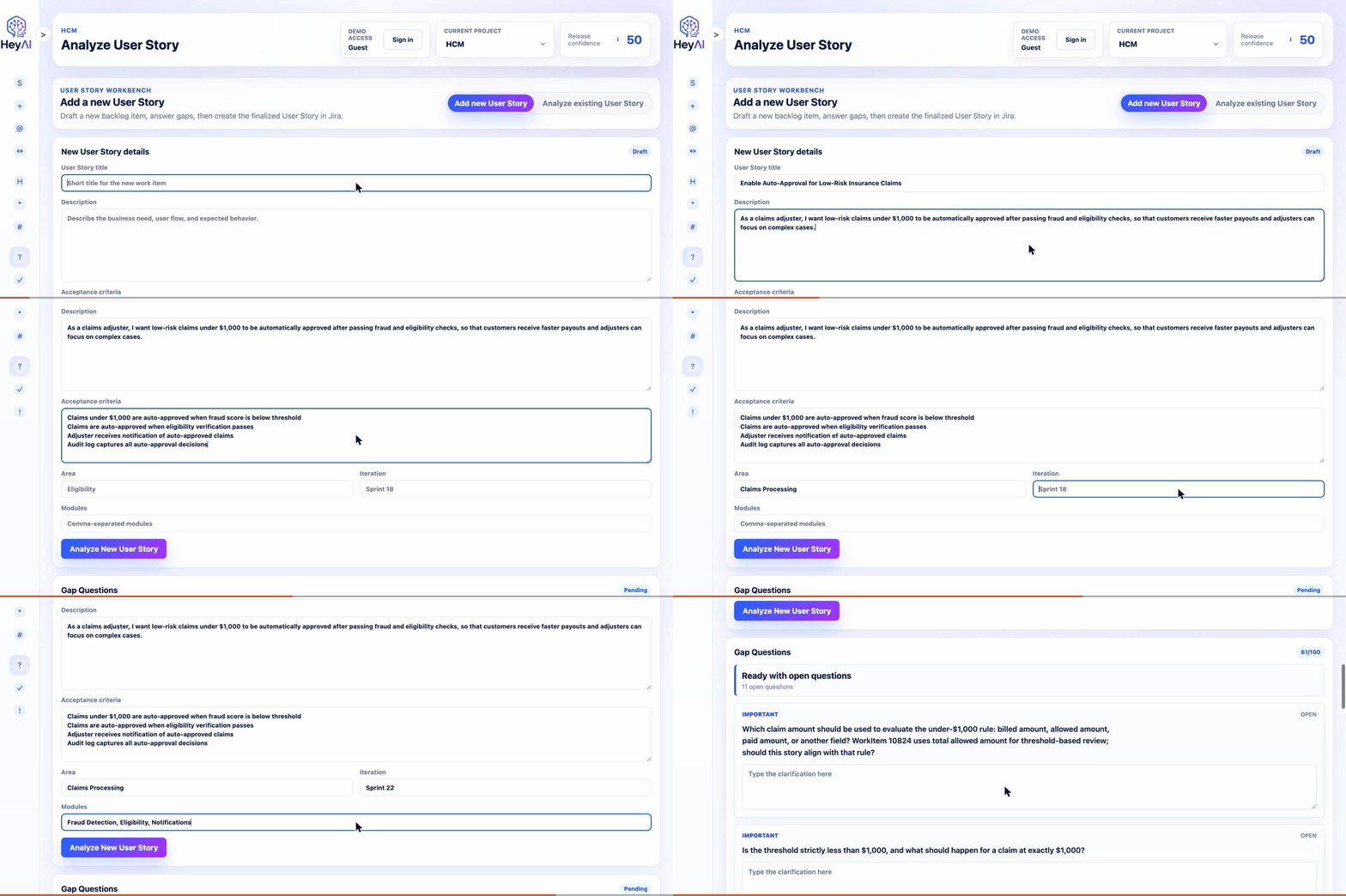
Draft to review
Check a new story before it lands
Teams can draft a new item, analyze missing acceptance criteria, and improve it before creating delivery noise.
 HeyAI
Project Intelligence
HeyAI
Project Intelligence
Project readiness, test coverage, and RBT for Azure DevOps and Jira
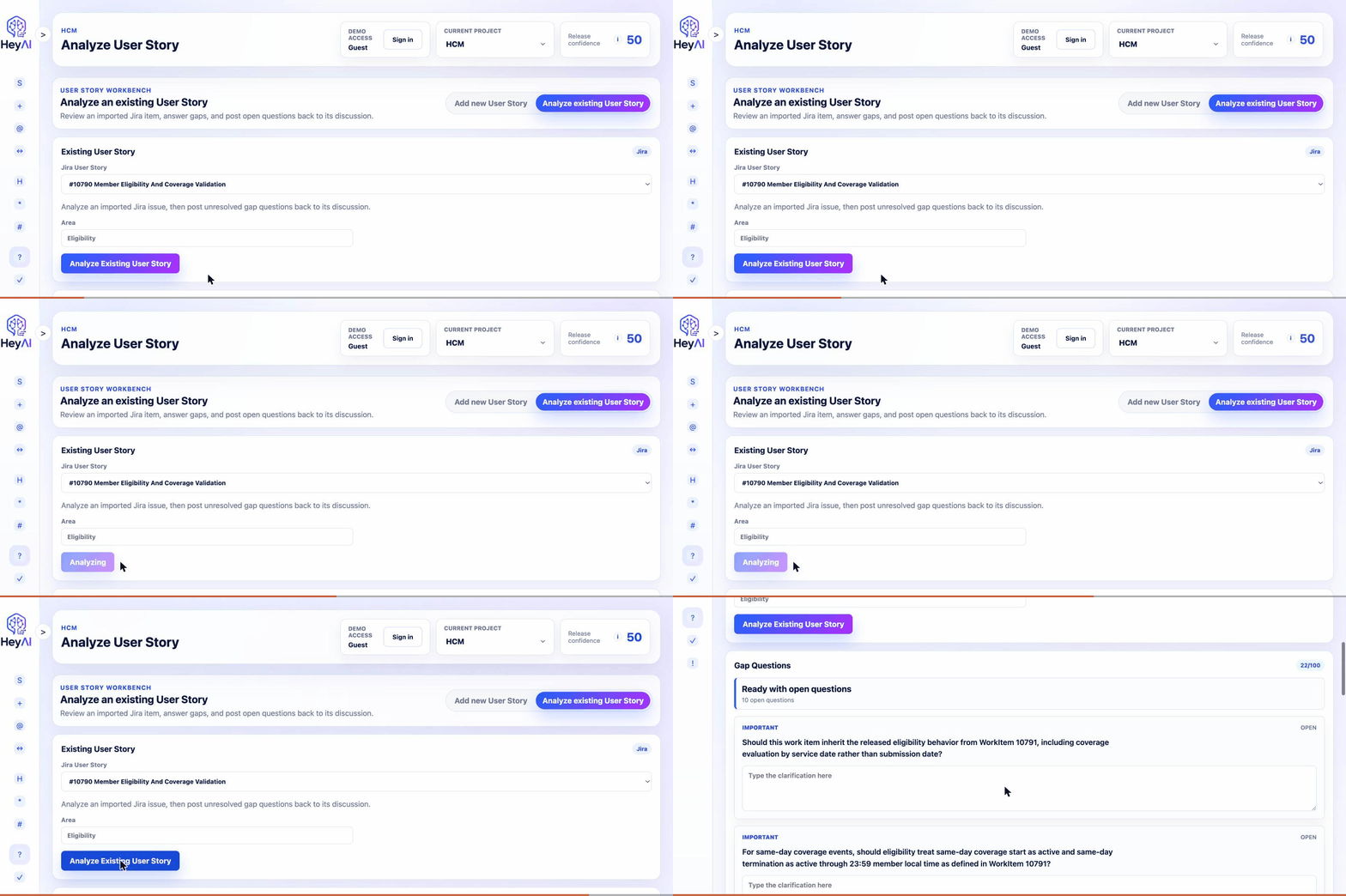
HeyAI reviews Azure DevOps work items and Jira issues with project context, finds missing requirements, generates test scenarios, and recommends testing scope with source-backed evidence and human review.
Click here to watch the product demo See what HeyAI does before you start an audit.Product in motion
Watch HeyAI review backlog items, surface missing details, draft test coverage, answer project questions, and keep trust controls visible throughout the workflow.
Teams can draft a new item, analyze missing acceptance criteria, and improve it before creating delivery noise.
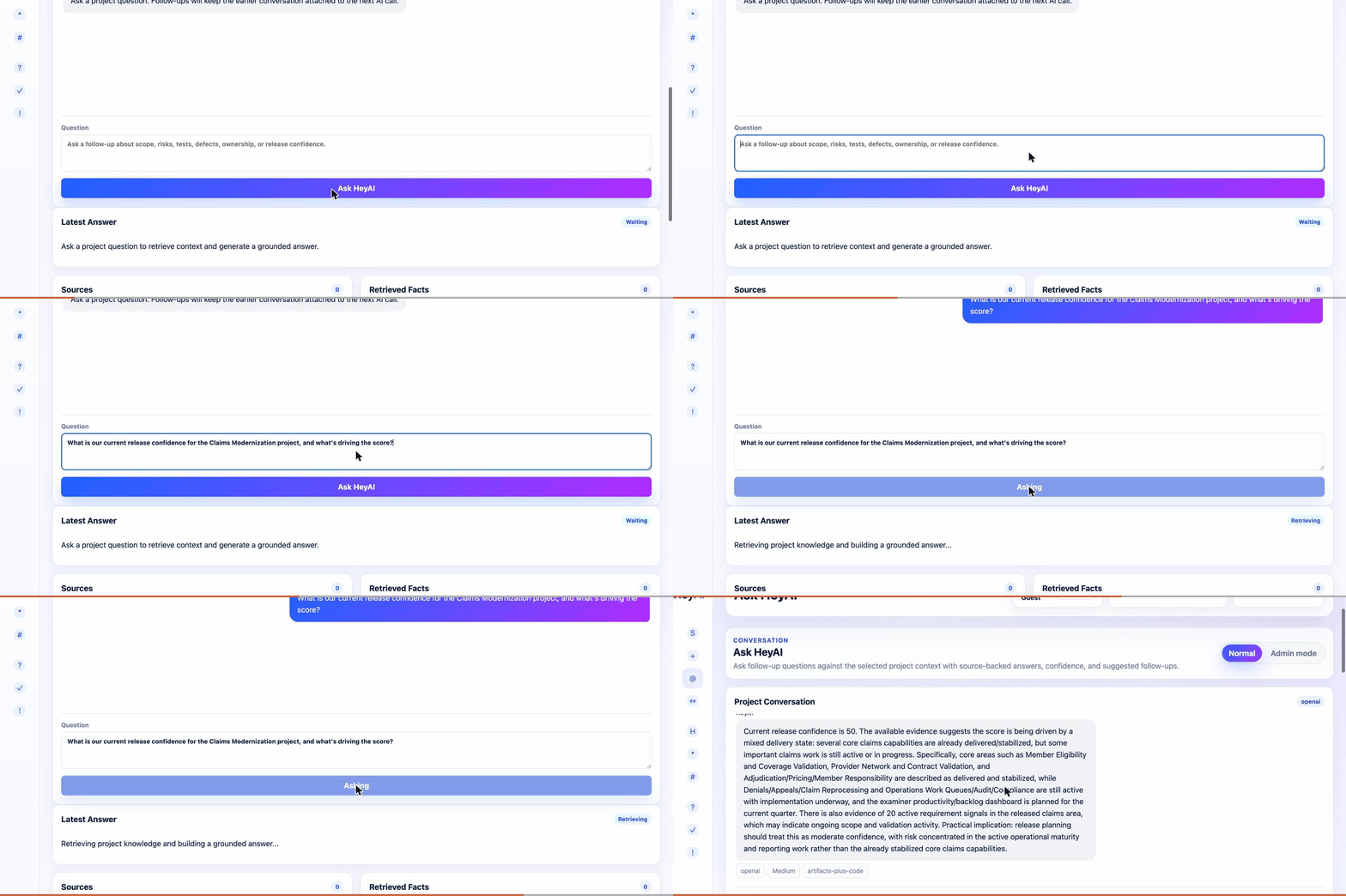
Ask HeyAI answers release, scope, test, and defect questions from retrieved project evidence instead of generic chat.
Delivery readiness
HeyAI is not another generic AI chatbot. It focuses on the weekly workflow where product, QA, and delivery teams decide whether a User Story is clear enough, tested enough, and safe enough to move forward.
Find ambiguous language, missing acceptance criteria, assumptions, edge cases, dependencies, and source-backed clarifying questions.
Generate practical test scenarios across happy path, negative, regression, integration, data, and edge-case coverage.
Recommend skip, manual, automation, hybrid, investigate, or blocked with rationale, confidence, and suggested action.
Roll up unresolved gaps, weak coverage, defect history, risky modules, and UAT focus into a readiness signal.
How HeyAI helps
HeyAI helps teams move from unclear backlog items to reviewable delivery decisions without changing where product and engineering already work.
Product, QA, and delivery teams get clearer requirements, source-backed gap questions, broader test coverage, and RBT recommendations they can explain in planning, QA review, or release readiness.
Choose Azure DevOps or Jira, connect one project, then start with a small set of real work items or issues so the team can compare HeyAI output against current refinement and test design habits.
Analyze a backlog item, review missing details, generate test scenarios, choose an RBT path, and use Ask HeyAI to query project context across requirements, decisions, risks, and delivery evidence.
Use HeyAI before refinement, sprint planning, QA design, and release review. Keep humans in control: accept, edit, reject, or route recommendations back into the team's normal workflow.
Before and after
Teams that use HeyAI
HeyAI helps each role use the same project context for a different job: clearer requirements, better tests, stronger RBT decisions, and earlier release-risk visibility.
Turn vague backlog items into clearer stories, acceptance criteria, and refinement questions before the team commits.
Draft stronger test coverage, find edge cases earlier, and make RBT decisions easier to defend.
See readiness, unresolved gaps, test coverage, and release risk before the sprint gets expensive.
Spot ambiguity, dependencies, risky changes, and missing technical context before implementation starts.
Delivery systems
HeyAI supports both Azure DevOps and Jira teams, with setup flows and delivery artifacts that match each system.
Delivery workflow
Start with a real work item or issue, find gaps, draft tests, and use project context when the team is ready.
Trust model
HeyAI is designed around source artifacts, confidence, audit trails, and human review. When project context is weak, the right answer is to say what is missing rather than invent certainty.
Private Azure deployment
For enterprise teams that cannot store project data in a vendor-hosted database, HeyAI can be deployed into the customer's Azure subscription. The customer owns the API, UI, PostgreSQL database, vectors, logs, connector credentials, and AI keys.
Copilot and MCP
HeyAI MCP is a remote, Entra-authenticated MCP server for GitHub Copilot and other MCP clients. Users can ask Copilot to list their HeyAI projects, inspect project context, generate test scenarios, and request RBT plans while keeping access scoped to the signed-in user's HeyAI permissions.
Readiness audit
For design partners, HeyAI can review a focused set of real Azure DevOps work items or Jira issues and return gaps, test scenarios, RBT recommendations, and a weekly risk/coverage summary.
One Azure DevOps or Jira project, one team, and 25-100 backlog items over a focused 30-day review.
Product owner, QA lead, delivery or engineering lead, plus the Azure DevOps or Jira admin when connector setup is needed.
Backlog item gap questions, acceptance-criteria suggestions, test scenario drafts, RBT decisions, and readiness themes.
Teams repeatedly use HeyAI before refinement, sprint planning, QA design, or release-readiness review.
Request audit
Share whether your team uses Azure DevOps or Jira today. We will follow up with a focused walkthrough or readiness audit plan.
Ready to inspect the current prototype?
See the current flows for Azure DevOps and Jira onboarding, backlog item analysis, generated tests, RBT recommendations, trust signals, and project context.
Try HeyAI