HeyAI HeyAI Project Intelligence
Try HeyAI Watch demo Request audit

Frequently asked questions

Answers for teams evaluating HeyAI.

Learn what HeyAI does, how teams get started, how the product is used day to day, and how it works with Azure DevOps, Jira, private Azure deployments, and MCP.

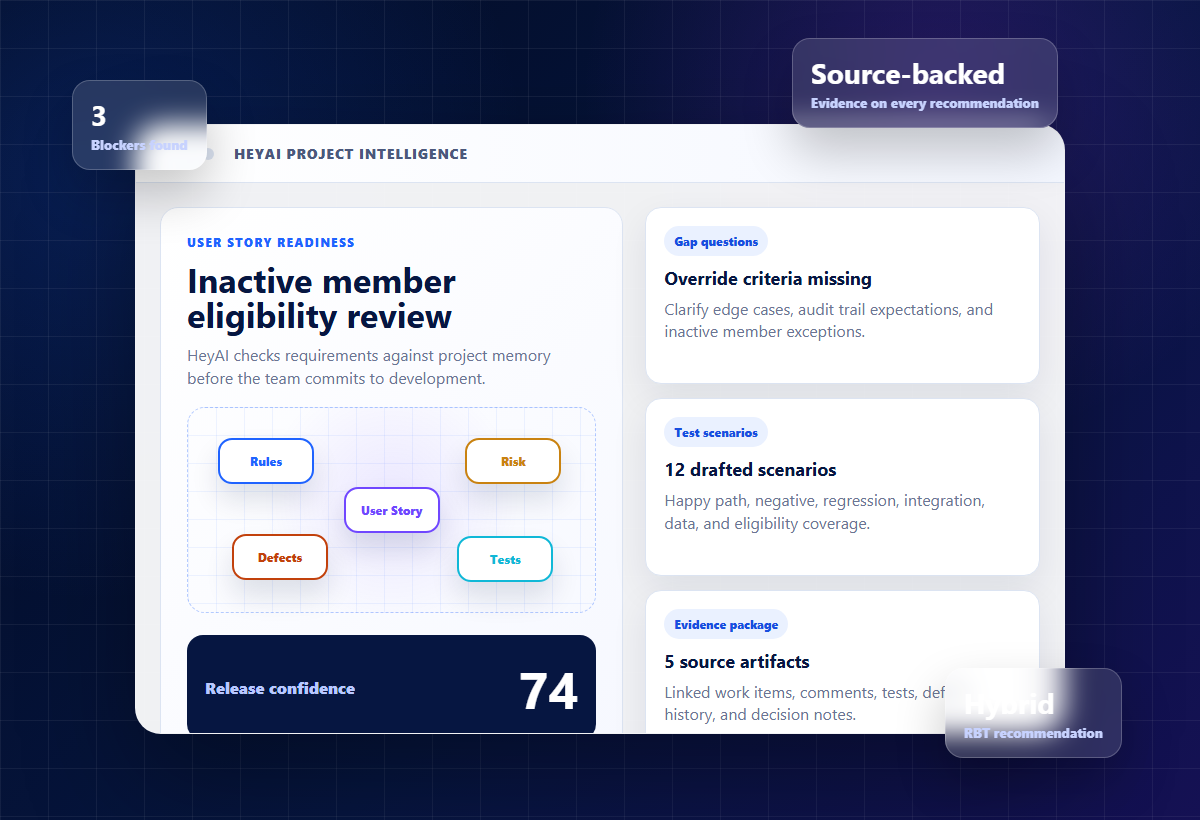
HeyAI project intelligence dashboard preview
Project intelligence preview Source-backed gaps, test scenarios, confidence, and RBT scope in one workflow.

Product basics

What HeyAI does

HeyAI reviews backlog items with project context so teams can make better requirement, testing, and release-readiness decisions.

What value do users get from HeyAI?

Users get source-backed requirement gaps, clarifying questions, test scenario drafts, RBT recommendations, and release confidence signals. The practical value is less manual review, fewer late requirement surprises, and testing decisions that are easier to explain.

Who is HeyAI for?

HeyAI is for product owners, QA leads, delivery managers, engineering leads, and teams that manage delivery in Azure DevOps or Jira.

Is HeyAI a chatbot?

No. Ask HeyAI is one capability, but the product is focused on project intelligence: backlog readiness, test coverage, RBT recommendations, project Q&A, and reviewable delivery evidence.

Does HeyAI replace product owners or QA?

No. HeyAI drafts recommendations and evidence for human review. Teams decide what to accept, edit, reject, or route back into their delivery workflow.

Getting started

Start with the delivery system your team already uses

The fastest path is to connect one Azure DevOps or Jira project and review a small set of real backlog items.

Choose a systemUse the Azure DevOps or Jira path based on where your backlog lives.
Connect a projectInitialize a project with the connector details your team already manages.
Analyze itemsRun HeyAI against real work items or issues with descriptions and acceptance criteria.
Review outputInspect gaps, generated tests, RBT suggestions, confidence, and source context.
Use the resultsBring the findings into refinement, sprint planning, QA design, or release review.

Using HeyAI

How teams use the product

How do I analyze a backlog item?

Open the HeyAI app, choose Azure DevOps or Jira, initialize or select a project, then analyze a work item or issue. HeyAI reviews the item and returns gaps, questions, tests, and RBT guidance.

What does Ask HeyAI do?

Ask HeyAI answers project questions using the initialized project context, such as requirement details, risk areas, testing coverage, release readiness, and linked delivery evidence.

Can HeyAI generate tests?

Yes. HeyAI drafts practical test scenarios across happy path, negative, edge-case, integration, regression, and data coverage. Teams can edit or reject the output before using it.

What is RBT in HeyAI?

RBT means risk-based testing. HeyAI recommends whether a backlog item should be manual, automated, hybrid, skipped, investigated, or blocked, with rationale and confidence.

Can HeyAI write back to Azure DevOps or Jira?

For Azure DevOps, HeyAI can post approved gap questions back through the extension flow. Jira support is focused on hosted app analysis and project context today; write-back behavior should be reviewed with the HeyAI team for your setup.

Integrations and deployment

Azure DevOps, Jira, private Azure, and MCP

Does HeyAI support both Azure DevOps and Jira?

Yes. HeyAI supports Azure DevOps and Jira as delivery systems, with dedicated pages and setup flows for each.

What project context can HeyAI use?

HeyAI can use backlog items, acceptance criteria, comments, requirements, docs, decision records, test evidence, incident context, and other connected project information depending on the setup.

Can HeyAI run in a customer-owned Azure subscription?

Yes. Private Azure deployment is available for teams that need project data, vectors, logs, connector credentials, and AI keys to stay in the customer's Azure subscription.

What is HeyAI MCP?

HeyAI MCP lets MCP-capable agent clients such as GitHub Copilot access authenticated HeyAI project intelligence, scoped to the signed-in user's allowed projects.

How does HeyAI handle uncertain or missing context?

HeyAI is designed to show uncertainty instead of inventing confidence. When project context is weak, it should surface what is missing and recommend the next clarification step.

Ready to see it with your own workflow?

Start with Azure DevOps or Jira.

Choose the page that matches where your team manages backlog items today.